Solo UX Designer and Frontend Engineer
HTML, Javascript, CSS, Git, Github, Figma, Procreate, Adobe After Effects
Quaint is a weather displaying website that shows the current weather of location selected. Based on the shown weather, the website changes its background to reflect the mood of the weather.
The project focus was to design and implement a website that utilizes API effectively while ensuring the robustness of the website.
The following image is the early wireframe of Quaint. It is clear that I originally had the idea to include a map with data points that changes color based on the local weather, as well as having music playing.
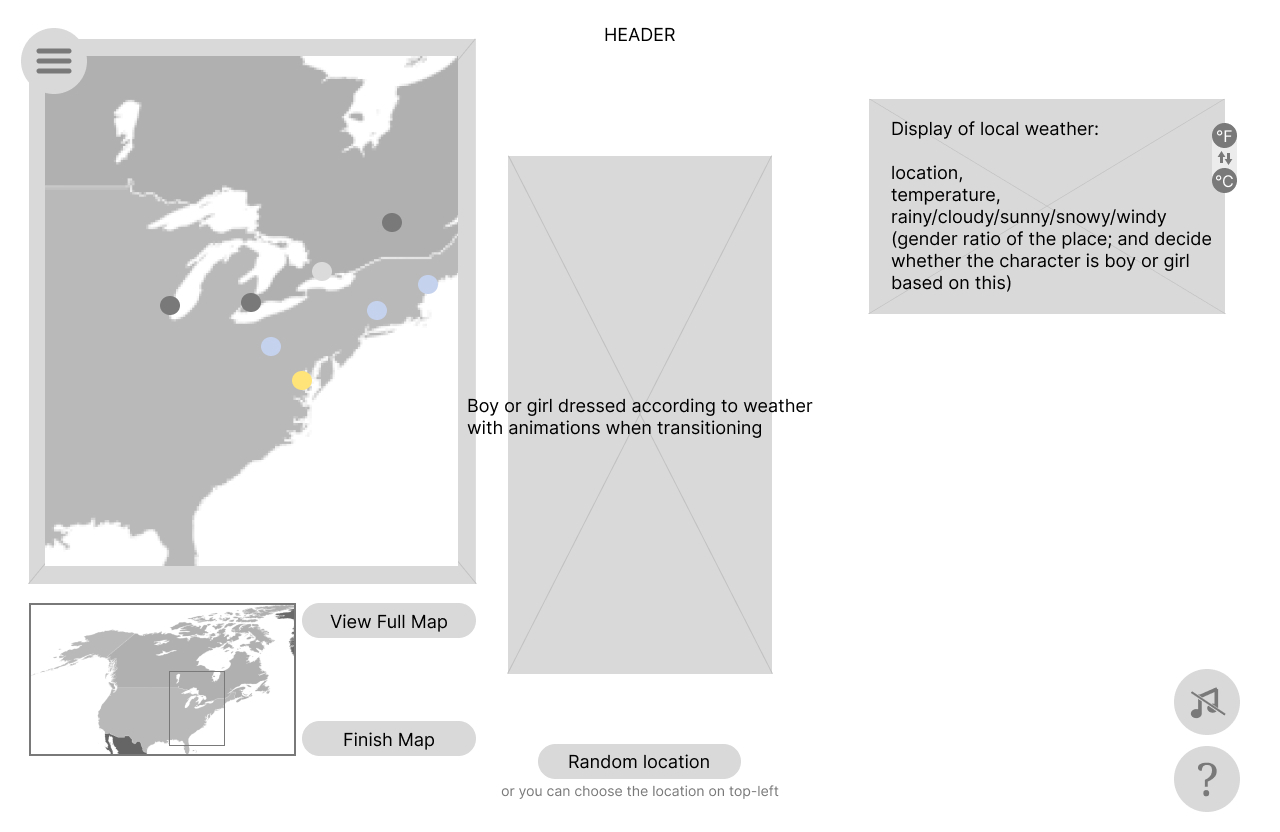
Wireframe of Quaint.
The website was coded completed in HTML, Javascript, and CSS. The following images show the process of implementation. I started by making sure the weather API I used was available.
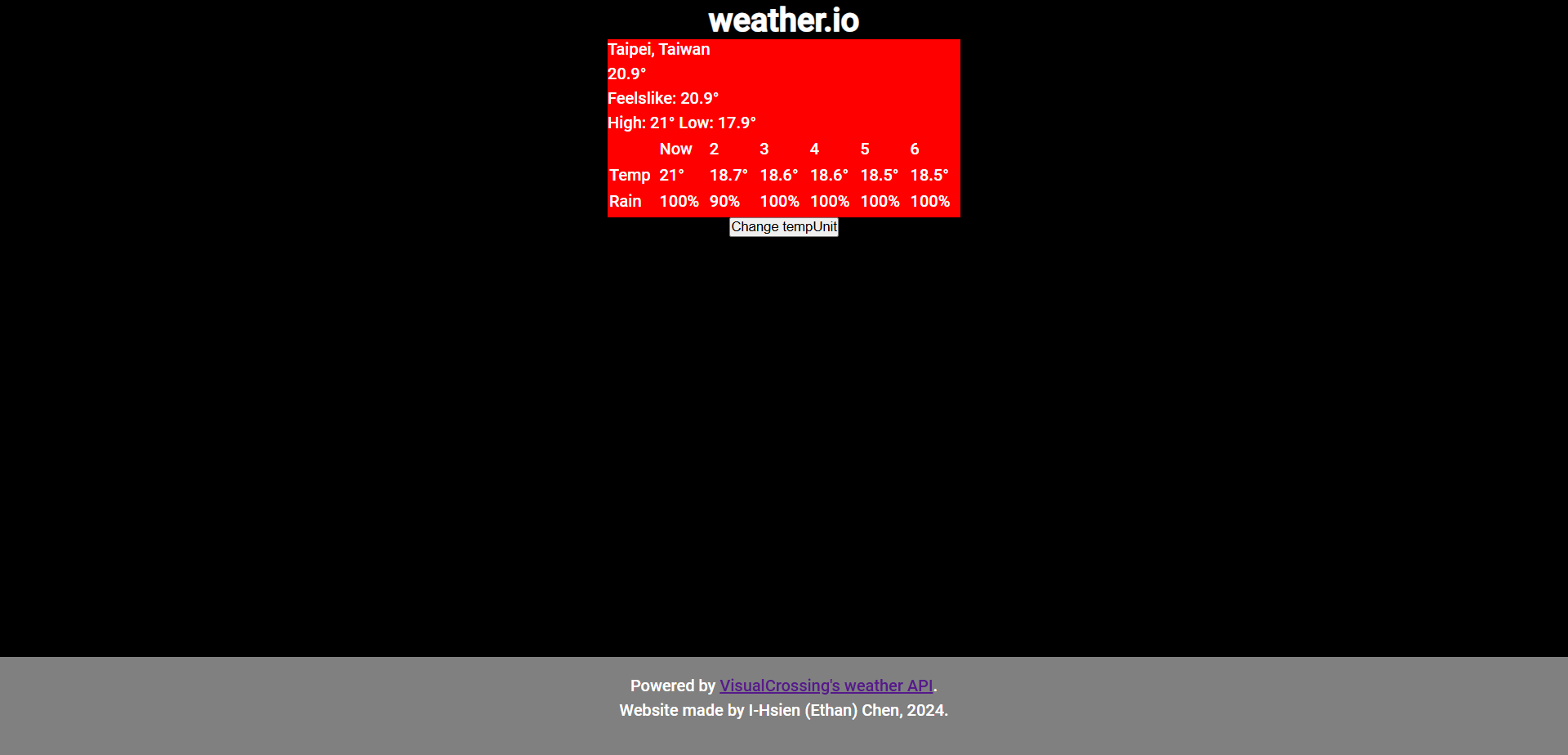

Screenshot of early implementation of Quaint.
My idea was to have a character in the middle that changes his or her outfit based on the weather. However, as the project grew in scope, I gave up on the idea but keeping the changing background.
The following images are the background images I prepared for Quaint.
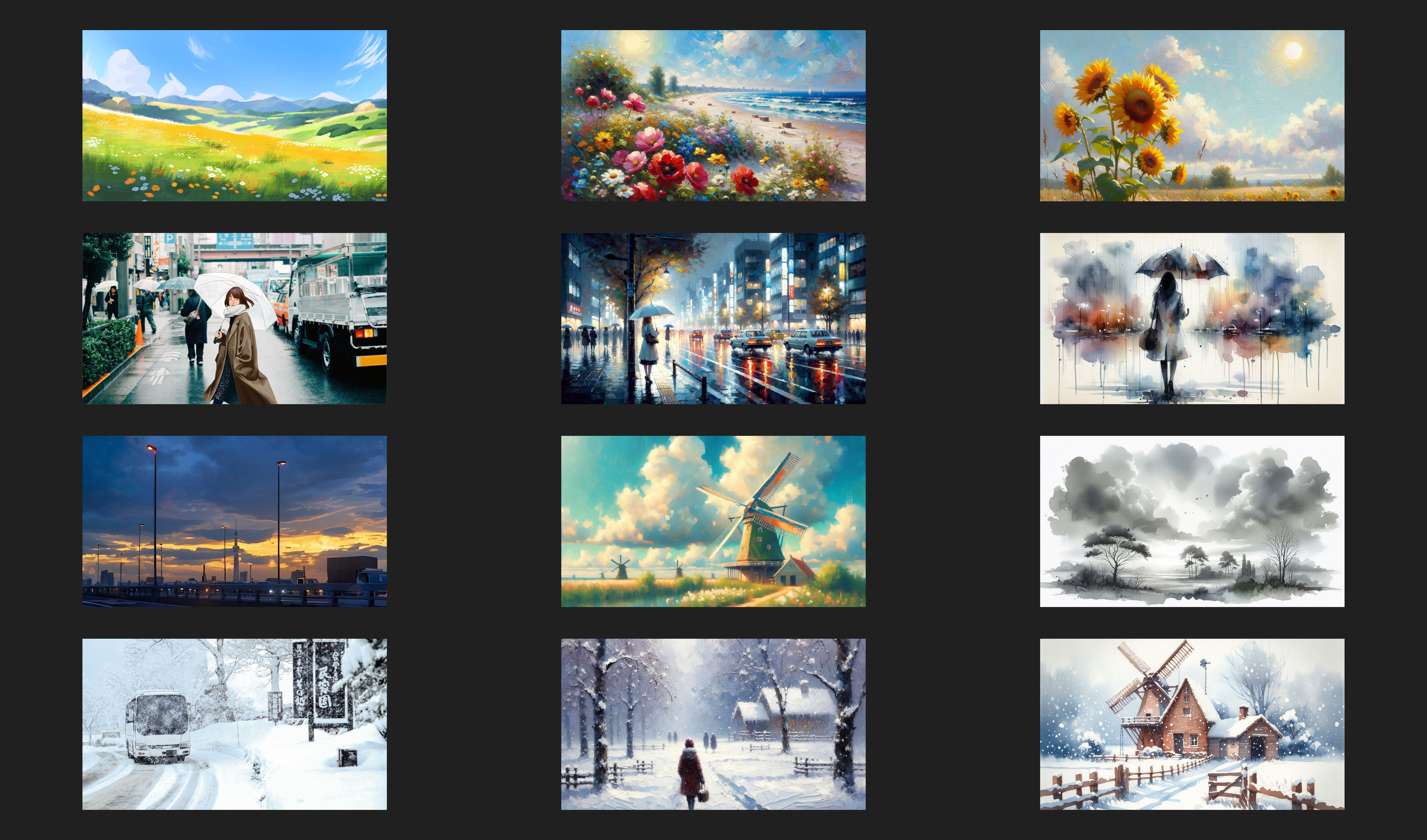
Background images I prepared for Quaint.
It is probably obvious that the code going on in the background is a bit crazy as I put in extra effort to make it robust. As the program grew larger, I made a flow diagram to help me keep in track of all the cross-file calls and clear up the logic of the program. (I make flow diagrams often.)
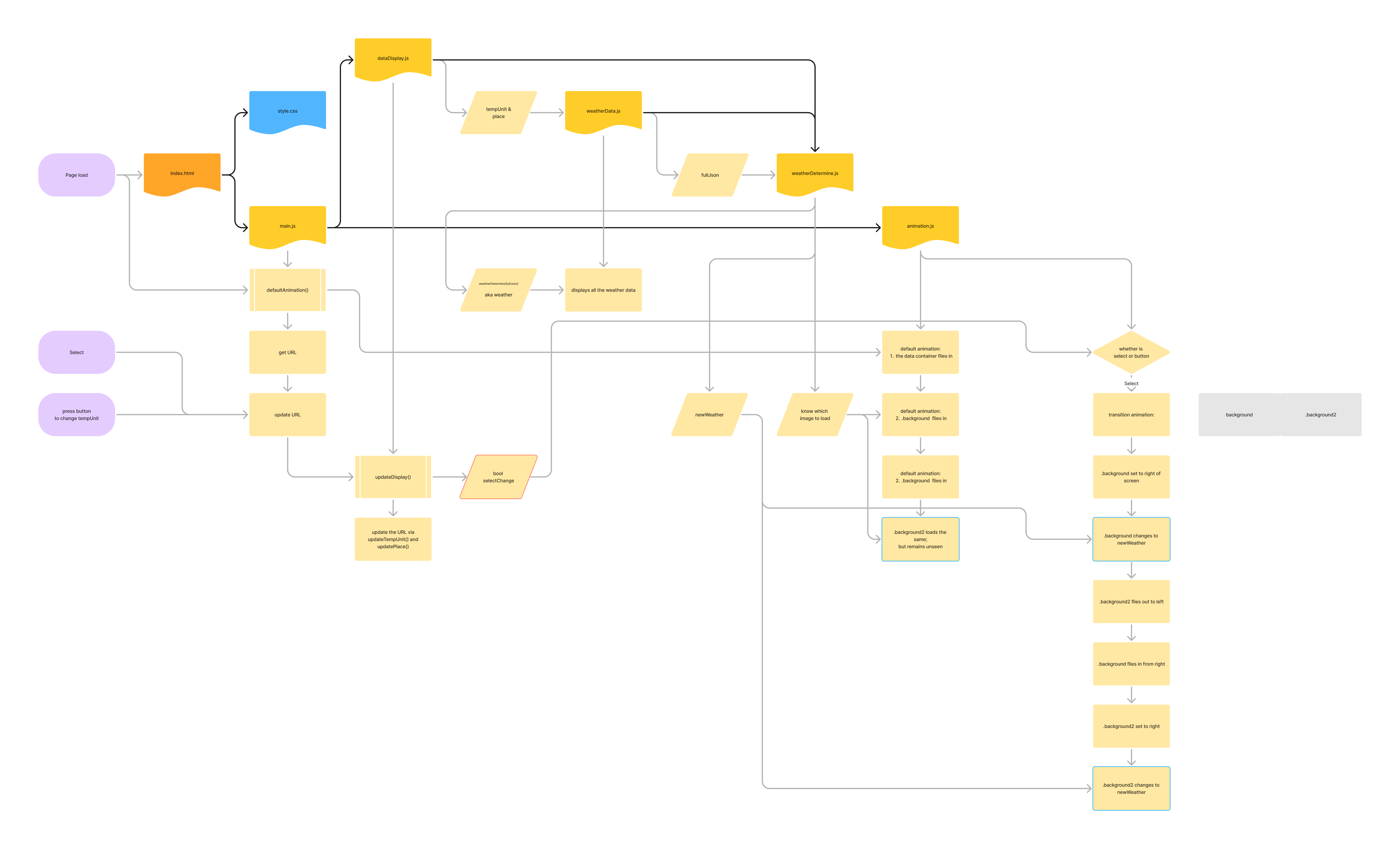
Flow chart of the website architecture.
It is probably obvious that the code going on in the background is a bit crazy as I put in extra effort to make it robust. As the program grew larger, I made a flow diagram to help me keep in track of all the cross-file calls and clear up the logic of the program. (I make flow diagrams often.)
The following image is a screenshot of the final website.
The website supports functions to change location, change temperature unit, and keeping both selectables in the url. The idea of keeping the information in the url is to allow, for example, people who bookmark this website to be able to see his/her preferred settings whenever he comes back to the website.

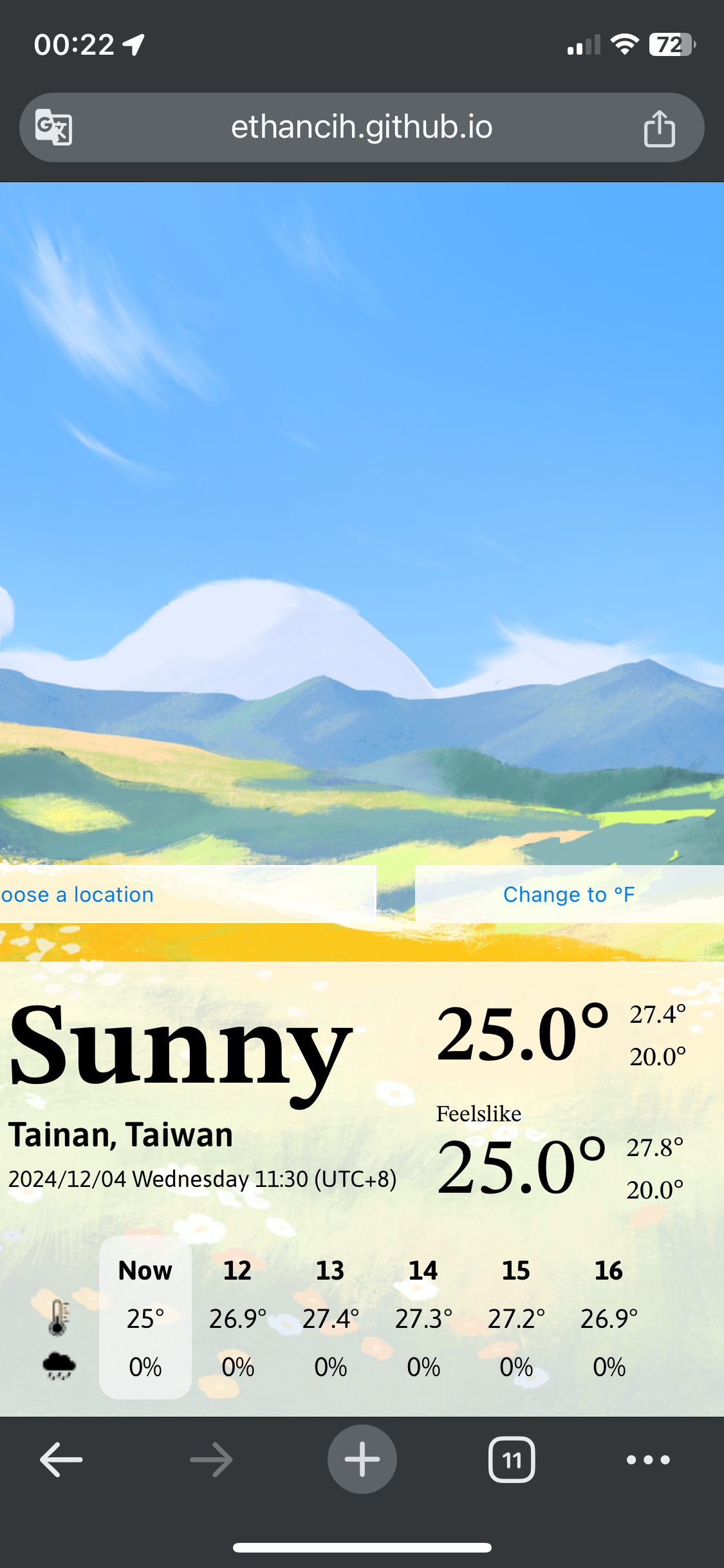
Still screenshot of Quaint on desktop and mobile screens.


Loosely designed in Figma and coded in Visual Studio Code by yours truly. Built with React Router and Tailwind CSS, deployed with Vercel. All text is set in the Inter typeface.
Copyright © 2025 I-Hsien Chen